
diff options
Diffstat (limited to 'docs')
| -rw-r--r-- | docs/how-to-create-a-db-pr.md | 10 |
1 files changed, 5 insertions, 5 deletions
diff --git a/docs/how-to-create-a-db-pr.md b/docs/how-to-create-a-db-pr.md index 82729d1..bbf4a44 100644 --- a/docs/how-to-create-a-db-pr.md +++ b/docs/how-to-create-a-db-pr.md @@ -39,7 +39,7 @@ As a result, your fork's `master` branch should say: 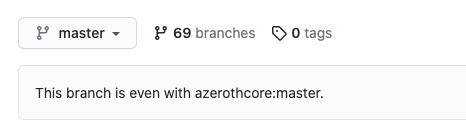 -### 1. Create a new branch +### 2. Create a new branch Make sure you have the `master` branch currently selected, click on the branches dropdown and create a new branch. @@ -52,7 +52,7 @@ You should see a message like **Create branch my-new-branch-123 from master**. After you create the new branch, make sure you **keep that one selected**. -### 1. Navigate to the pending_db_world folder +### 3. Navigate to the pending_db_world folder You now need to navigate inside the `data/sql/updates/pending_db_world` folder of your fork. @@ -62,7 +62,7 @@ You can either do it manually by clicking on the `data` folder, then `sql`, `upd **https://github.com/YourUsername/azerothcore-wotlk/tree/my-new-branch-123/data/sql/updates/pending_db_world** -### 1. Create and commit a new file +### 4. Create and commit a new file Back on GitHub, from the `pending_db_world` folder, click **Add file** and then **Create new file**: @@ -70,7 +70,7 @@ Back on GitHub, from the `pending_db_world` folder, click **Add file** and then Now you need to: -- Give the file a name. +- Give the file any name with the file extension `.sql`. - Add a new line, then add your own SQL code below and then add a new empty line at the end of the file. 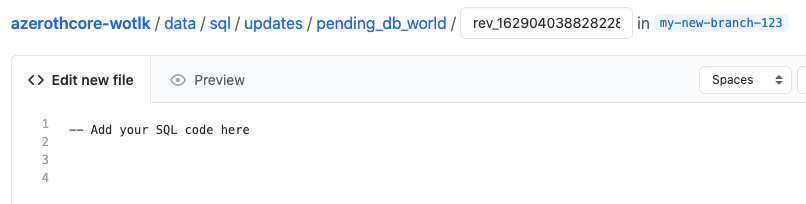 @@ -85,7 +85,7 @@ Now scroll down the page, you'll need to: 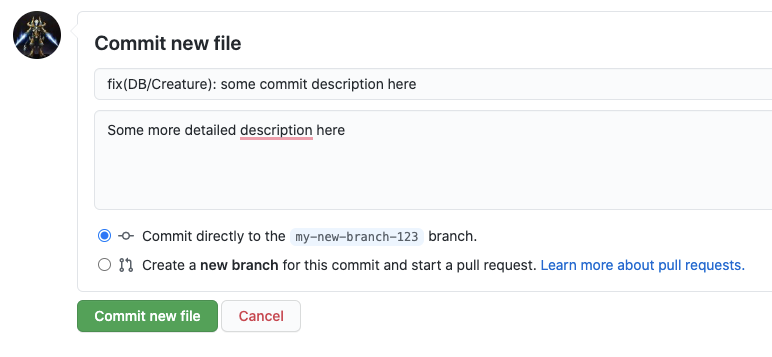 -### 1. Open the PR +### 5. Open the PR Go back to the [main AzerothCore repository](https://github.com/azerothcore/azerothcore-wotlk), you will notice that GitHub is smart enough to realize that you are about to open a PR |